Can You Watch Disney Plus Offline? 2026 Guide for All Devices

If you are asking, “Can you watch Disney Plus offline?” the answer is yes, but it comes with strict conditions that vary entirely by device. While mobile users on Android and iOS enjoy a simple Download button, desktop and laptop users face a more fragmented reality.
The core obstacle for desktop viewing is Digital Rights Management (DRM). Unlike the mobile ecosystem, where downloads are standard, desktop environments face stricter licensing constraints to prevent piracy. Before you pack your laptop, you need to know exactly which devices support offline viewing, as many travelers mistakenly assume their premium subscription covers every screen.
- For Windows/Mac Users: There is no official application for macOS that supports offline downloads. Browser-based playback requires an active internet connection at all times.
- For Smart TVs & Consoles: You cannot download content directly to a Smart TV or game console. These are strictly streaming devices.

Can You Watch Disney Plus Offline
Quick Decision Guide: Official App vs. Third-Party Tools
Since Windows and Mac users have no native option, you must choose the method that aligns with your hardware and travel itinerary. The best way is to utilize a dedicated tool like Keeprix Downloader.
- The primary difference lies in the concept of ownership versus temporary rental.
- The official app functions on a rental model. You download an encrypted cache file that only opens within the Disney+ interface. This file is tied to a digital timer.
- In contrast, Keeprix Downloader creates a standalone video file (MP4 or MKV). This method removes the expiration timer and allows you to move the file between devices.
Decision Matrix:
- Use the Official App if: You are on Android, iOS, or Amazon Fire tablets, have a short trip (under 48 hours), and don’t want to pay for extra software.
- Use Keeprix Downloader if: You use a Windows or Mac computer, are traveling for extended periods, or need to move files to a specialized device like a projector or a kid’s tablet.
Watch Disney Plus Offline in the Official App
Before you begin, ensure you meet the following requirements:
- Ad-Free Subscription: Downloads are generally not available on the “Standard with Ads” or “Basic” plans. You typically need a Disney+ Premium or Standard (No Ads) subscription.
- Storage Space: Ensure your device has enough free storage space.
How to Download Movies & Shows with Disney+ App:
Step 1. Open the Disney+ App and log in.
Step 2. Navigate to the content you want to watch.
Step 3. Tap the Download Button:
- For Movies: The button is located just below the “Play” and “Trailer” buttons. It looks like a downward arrow.
- For TV Shows: You can download a whole season or individual episodes. Scroll down to the “Episodes” list and tap the downward arrow icon next to the specific episode you want.
Step 4. Wait for Completion: The icon will turn into a loading circle. Once finished, it will change to a device icon with a checkmark, indicating the download is complete.
How to Watch Offline
- Tap the Downloads icon located on the bottom navigation bar of the screen.
- You will see a list of all your downloaded content.
- Tap the movie or episode to start playing.
If you have no internet connection, the app may automatically open to this Downloads folder.
Mac & PC: How to Watch Disney Plus Without Internet Permanently
For desktop users who have zero native options, specialized software is the only workaround. We recommend Keeprix Downloader as a verified solution.
- The Pros: It downloads Disney Plus videos to MP4s, meaning they never expire, have no ads, and can be played on any media player (VLC, QuickTime).
- The Cons: It is paid software after a trial.
Step-by-Step Procedure:
Step 1. Installation: Download and install Keeprix on your Mac or Windows PC.
Step 2. Selection: Use the built-in browser within Keeprix to log in to your Disney+ account. Navigate to the movie or series you wish to save.
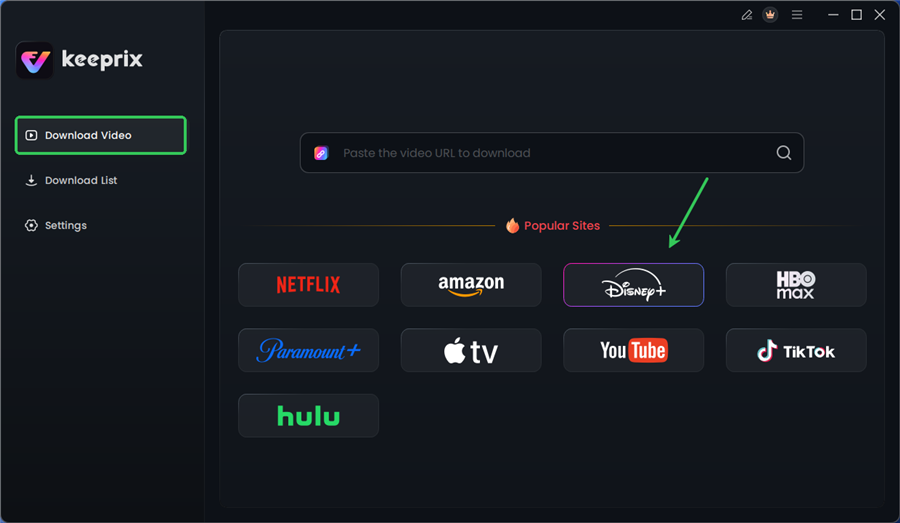
Choose Disney Plus in Keeprix
Step 3. Configuration: Select your preferred audio and subtitle languages. Keeprix supports up to 13 languages. Ensure the resolution is set to 1080p Full HD for the best quality on larger laptop screens.
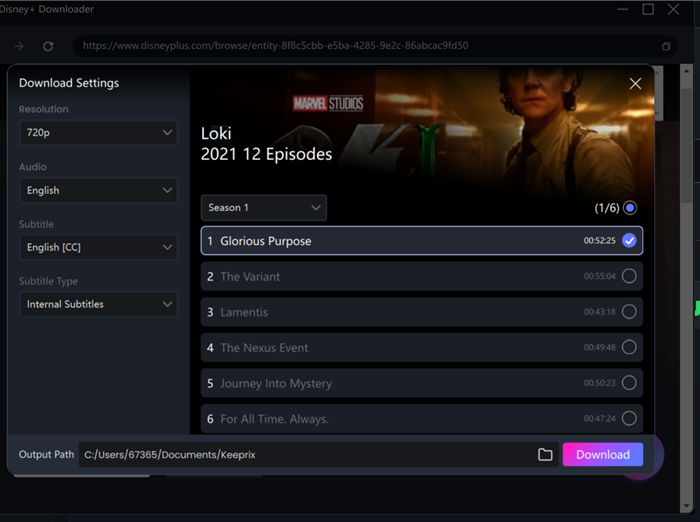
Configure Download Settings
Step 4. Batch Download: If you are downloading a TV show, click the “Batch Download” button to queue an entire season.
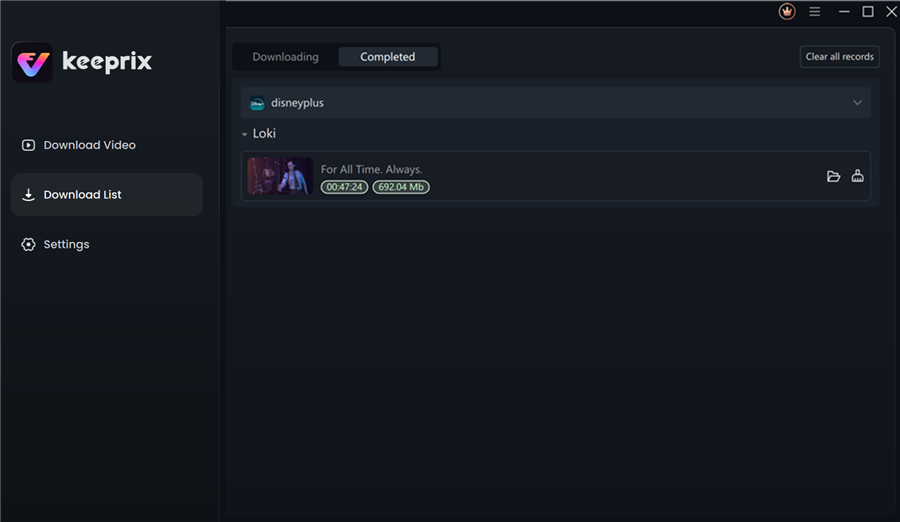
Disney Plus Downloaded Videos in Keeprix
Why Do My Disney Plus Downloads Expire? Understanding DRM
One of the most frustrating experiences for travelers is seeing their downloads greyed out. The root cause is the “digital handshake” required by DRM (Digital Rights Management).
Disney Plus travel mode capabilities are technically tethered to a licensing server. Even if a file is sitting on your hard drive, the app’s internal clock acts as a gatekeeper.
There are two main expiration triggers you must monitor:
- The 30-Day Limit: You generally have 30 days to keep a download before the system requires an internet connection to renew the license.
- The 48-Hour Playback Window: This is the one that catches most people off guard. Once you press play on a DRM-protected download, a 48-hour timer often begins. If you don’t finish the movie within that window, the app locks the file until you go online to re-authorize it.
This is why Disney Plus downloads disappear or stop working during extended travel. Using a tool like Keeprix eliminates this anxiety because it converts the stream into a DRM-free file, removing the need for these periodic digital handshakes.
Optimizing Storage for Disney Plus Offline Viewing
Whether you are saving to a laptop hard drive or a mobile device, storage space is finite. “Storage limitations on mobile devices” is a frequent complaint, but you can mitigate this by managing your quality settings strategically.
Official App Settings:
In the Disney+ app settings, you can toggle between ‘Standard’, ‘Medium’, and ‘High’ video quality.
- High: Uses approx. 2.0 GB per hour.
- Medium: Uses approx. 0.9 GB per hour.
- Standard: Uses approx. 0.6 GB per hour.
For a standard 13-inch laptop or tablet, ‘Medium’ is usually indistinguishable from ‘High’ and saves you significant space.
Professional Downloader Advantage:
When using Keeprix, you have more control. You can save files as MP4 or MKV. While MP4 is universally compatible, MKV can sometimes offer better quality-to-size ratios. Additionally, because you own these files, you can offload them to an external USB drive or SD card—a feat impossible with the official app’s encrypted cache files. This is vital for users asking, “Can I watch Disney Plus downloads on a laptop with limited SSD space?”
Troubleshooting: When Offline Playback of Disney+ Fails
Even with the best preparation, you might encounter “offline playback error messages.” Here is how to resolve the most common obstacles before you disconnect from the internet.
Problem: “This title is not available for download.”
Cause: Studio Licensing.
Explanation: Not every movie on Disney+ is downloadable. Some titles, due to older contracts with other networks, are restricted to streaming-only. If the download button is missing, this is a licensing restriction, not a bug.
Problem: Downloads show a Yellow Exclamation Mark / “Expired.”
Solution:
- Reconnect: Briefly connect to Wi-Fi to allow the app to refresh the license.
- Renew Download: In the downloads tab, tap the exclamation mark icon and select “Renew Download.” Do this before you board the plane.
Problem: App crashes or downloads freeze.
Solution:
- Sign Out/In: This refreshes your session data.
- Clear Cache: On Windows, go to Settings > Apps > Disney+ > Advanced Options > Reset. Be warned: this will delete all existing downloads, so only do this if you have time to re-download them.
Pre-Flight Recommendation: Always test a downloaded video by switching your device to Airplane Mode before you leave your house. Play the first minute of the movie. This ensures the file is not corrupted and the license is currently active.
Frequently Asked Questions About Disney Plus Travel Mode
Can I watch Disney Plus without internet?
Yes. You can watch content offline if you have downloaded it via the official app on iOS, Android, or Amazon Fire tablets, or if you have saved the video files using a tool like Keeprix Downloader.
Why do my Disney Plus downloads expire?
Downloads expire to enforce DRM licensing. The app requires you to connect to the internet at least every 30 days to verify your subscription status. Additionally, many titles expire 48 hours after you first press play.
Which devices support offline viewing?
The official download feature works on iPhone, iPad, Android phones/tablets, and Amazon Fire tablets. It does not work on Windows and Mac browsers, Smart TVs, or game consoles.
Why can’t I download certain Disney Plus titles?
Some content is subject to third-party studio licensing agreements that prohibit offline downloading. These titles are available for streaming only unless you use a third-party downloader.
Can I watch Disney Plus downloads on a laptop?
Officially no, but you can use software like Keeprix Downloader to save files for offline viewing on a Windows laptop or MacBook easily.
How much storage does a Disney Plus download use?
Storage usage varies by quality setting. High quality uses roughly 2.0 GB per hour, while Standard quality uses about 0.6 GB per hour.
Conclusion: Regain Control of Your Entertainment
Relying on streaming services while traveling often leads to the frustration of offline playback error messages or expired content right when you need it most. While the official Disney+ app is a functional free tool for mobile users, its expiration timers to boring during long trips.
To ensure your Disney Plus offline watching on an airplane is successful, preparation is key. Whether you manage the official app’s timers carefully or opt for the permanent file solution with Keeprix Downloader, taking control of your library now means you won’t be staring at a blank screen at 30,000 feet.